One calendar for four networks
Plan and schedule posts across Facebook, Instagram, LinkedIn, and X from one calendar. Postmoro drafts each post with AI, so you can spend your time reviewing — not writing from scratch.
- Free Trial plan, no credit card required
- Drag-and-drop rescheduling on Pro and Business
- Review and edit posts before publishing
- AI drafts on every plan
The idea
The tool that keeps your posting week in one place
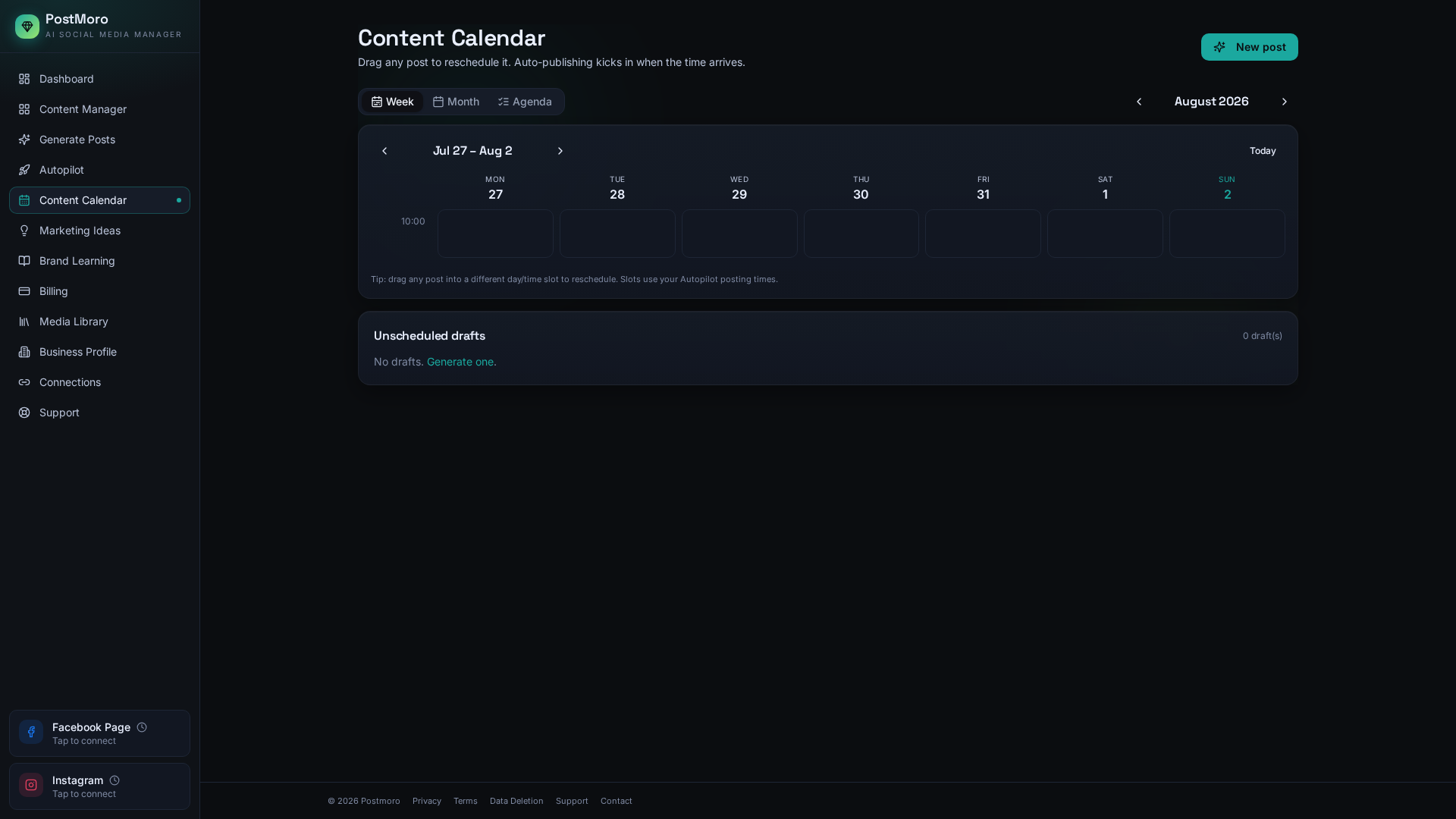
Most weeks, the problem isn't ideas — it's the ten-tab shuffle. Draft in a note, upload the image somewhere else, cross-post to another network, forget which day you promised to post on LinkedIn. Postmoro is a social media scheduler that keeps the whole week in one calendar, with drafts your AI has already started for you.
Open Postmoro, look at the week, edit anything that needs editing, and everything you scheduled lines up ready to publish on the days and times you picked. Nothing lives in a spreadsheet.
Workflow
From idea to scheduled, in three plain steps
Get a draft
Either accept an Autopilot draft that Postmoro has already made for the week, or open Generate and produce a one-off post in a few seconds. Both flows give you a caption, hashtags, and an image in one go. Both are editable end-to-end.
Pick a date and time
Every draft opens a small scheduling pane with the calendar. Choose the day, choose the time, choose which of your connected networks it should publish to.
Confirm
The post lands on the calendar. You can open it again any time before it goes live to make changes.
If the week needs rearranging, drag any scheduled post to a different day directly on the calendar. Drag-and-drop rescheduling is included on the Pro and Business plans.
Modes
Approval-first, or fully automatic — you decide
Postmoro is built to be honest about who's driving. There are two modes and one switch.
By default, Autopilot drafts your week and holds each post in an approval queue for you to review. Nothing publishes without your say-so. Prefer fully hands-off? Switch off approvals in Autopilot settings and Postmoro will publish on the schedule you set without asking each time. Flip it back whenever. Manual one-off posts (from Generate) always let you choose to schedule or publish immediately.
Both modes use the same calendar. Both modes let you edit any post before it goes live.
Publish
What happens when a post goes live
At the scheduled time, Postmoro publishes the post to the network you picked. You'll see the post appear on the calendar as published, and you'll receive a confirmation email letting you know the post went out. If something goes wrong on the network's side, Postmoro tells you inside the app so you can fix it and reschedule.
Connections need care, and Postmoro doesn't hide that from you. LinkedIn may periodically require you to reconnect your account. Postmoro shows an advance warning when your LinkedIn connection is nearing expiration and provides a direct reconnect option.
Networks
What each network looks like in Postmoro
Connect a Facebook Page — or multiple Pages if you manage more than one. Postmoro lists all of them and lets you pick which one to post from, and publishes directly to your Facebook Page. Drafts, calendar planning, Brand Learning, and live publishing all work for your Page today.
Connect an Instagram professional account (Business or Creator) linked to your Facebook Page. Postmoro drafts single-image feed posts — the caption, the hashtags, and the image, ready to review — and publishes them live to Instagram. Reels and Stories aren't part of the composer today.
Publishing to your LinkedIn personal profile is live today. LinkedIn may periodically require you to reconnect your account. Postmoro shows an advance warning when your LinkedIn connection is nearing expiration and provides a direct reconnect option. Company Page posting isn't part of Postmoro yet.
X
Publishing to X is live today. Postmoro posts single updates — text on its own or text with one image. Threads and video aren't in the composer today.
Plans
Plans that fit how much you post
- 5 published posts
- All 4 social platforms
- 25 published posts
- All 4 social platforms
- 60 published posts
- All four networks
- Email MarketingComing Soon
- Ad CreationsComing Soon
- AI DM Bot / Community ManagementComing Soon
- AI Video CreationComing Soon
- Task & Calendar ManagementComing Soon
- Unlimited published posts (fair-use)
- All four networks
- Teams — 3 team seats included
- Email MarketingComing Soon
- Competitor AnalysisComing Soon
- Ad CreationsComing Soon
- AI DM Bot / Community ManagementComing Soon
- AI Video CreationComing Soon
- Task & Calendar ManagementComing Soon
Start on Free Trial, upgrade whenever you're ready. No credit card required.
FAQ
Frequently asked questions
Can I schedule the same post to multiple networks at once?
Yes. You can select multiple connected networks when scheduling a post. Review the final text and media for each destination before publishing.
Can I edit a scheduled post before it goes live?
Yes. Any scheduled post is editable up until publish time. Open the post from the calendar, change what you want, save. If you want to cancel it entirely, delete it from the calendar.
Can I move a scheduled post to a different day?
Yes. On the Pro and Business plans you can drag a post to a different day directly on the calendar. On all plans you can open a post and change its date and time from the scheduling pane.
What happens if a network rejects my post?
Postmoro surfaces the reason inside the app so you can fix the post — usually the fix is trimming the text, swapping the image, or reconnecting the account. Nothing else on your calendar is affected.
Analytics cookies
Postmoro uses Google Analytics to see which pages help visitors find us. It stores a cookie on your device only if you agree. We never send your name, email, or the content you create. Read our privacy policy.